We recently rebranded from NonprofitsHQ to GiveKit. This article still uses our old name, but the steps and features described are the same.Anytime you raise money for your organization on NonprofitsHQ, we automatically direct deposit those funds into your business bank account.
To be eligible for NonprofitsHQ payouts, your bank account must:
- Be a valid US based account,
- Belong to your organization,
- Be in good standing with your bank.
When you add your bank account, we use automated systems to verify that the account belongs to your organization. If this process is unsuccessful or we need additional information, a member of our risk team will be in touch.
Add your bank account
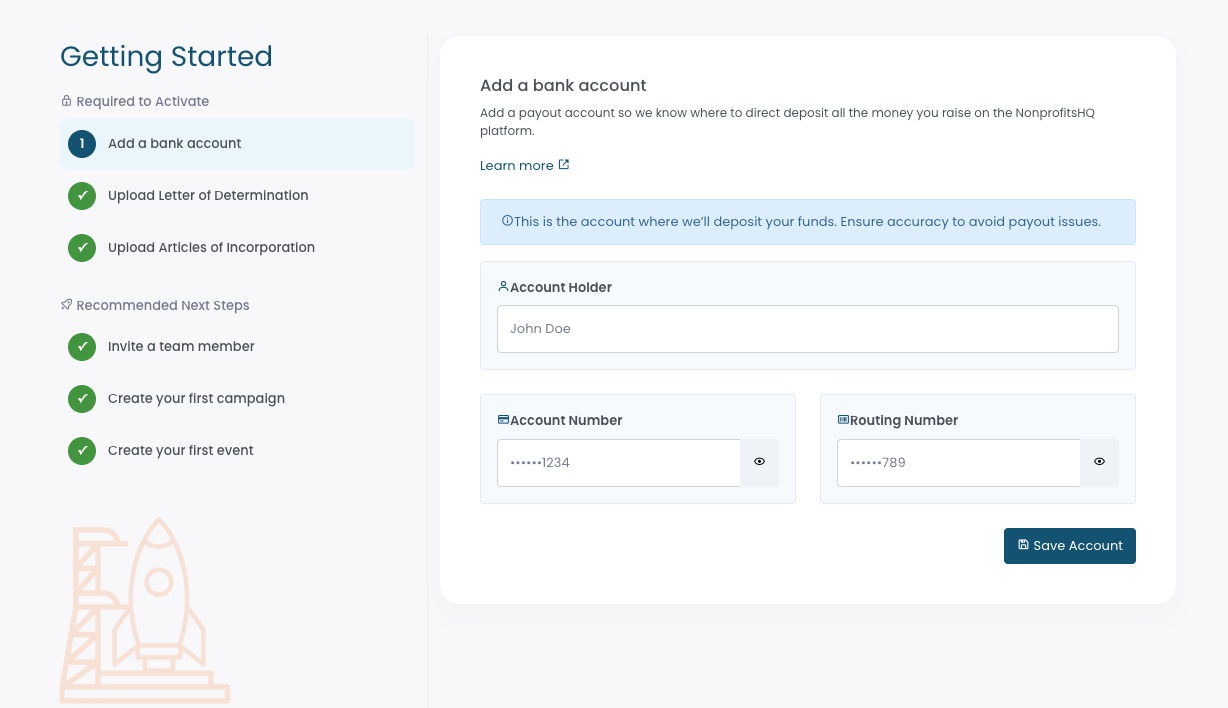
To add your payout account to your NonprofitsHQ account from the Getting Started guide, click the Add a bank account option in the left side bar, then enter your account details.
Verify Account Setup
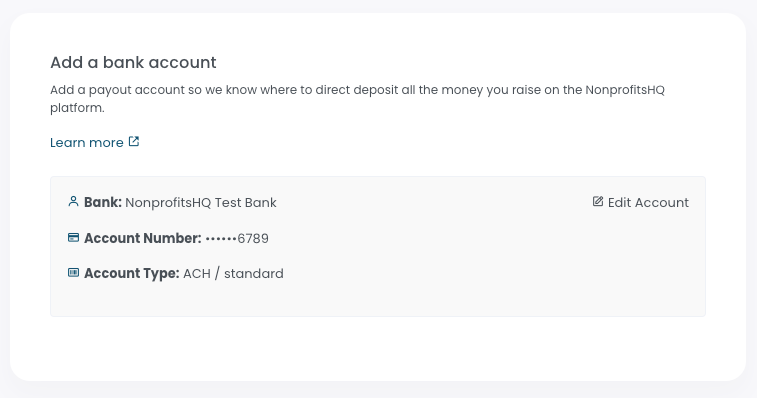
After you complete the form and add your bank account to NonprofitsHQ, we'll verify ownership and account status. This is usually instant but if there are any problems during this verification, we'll reach out to help you resolve them.
You're done!
Congratulations! You've successfully configured your NonprofitsHQ account for automatic payouts, and can begin raising money through fundraisers, events, raffles, auctions and more!
Generally speaking, we'll automatically direct deposit your raised funds to the account you provided next business day, after transactions clear.
If you run into any trouble or need any additional support, please reach out to your account manager if you have one, or email our support team directly via help@nonprofitshq.com
Anytime you raise money for your organization on NonprofitsHQ, we automatically direct deposit those funds into your business bank account.
To be eligible for NonprofitsHQ payouts, your bank account must:
- Be a valid US based account,
- Belong to your organization,
- Be in good standing with your bank.
When you add your bank account, we use automated systems to verify that the account belongs to your organization. If this process is unsuccessful or we need additional information, a member of our risk team will be in touch.
Add your bank account
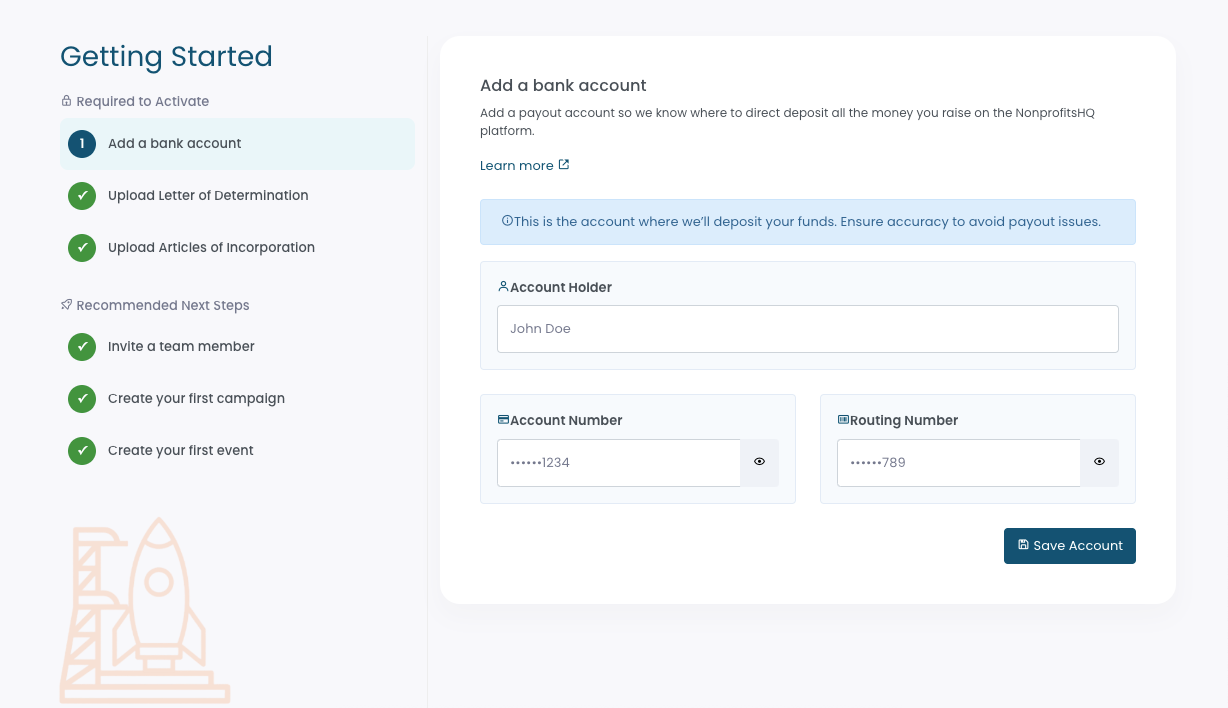
To add your payout account to your NonprofitsHQ account from the Getting Started guide, click the Add a bank account option in the left side bar, then enter your account details.
Verify Account Setup
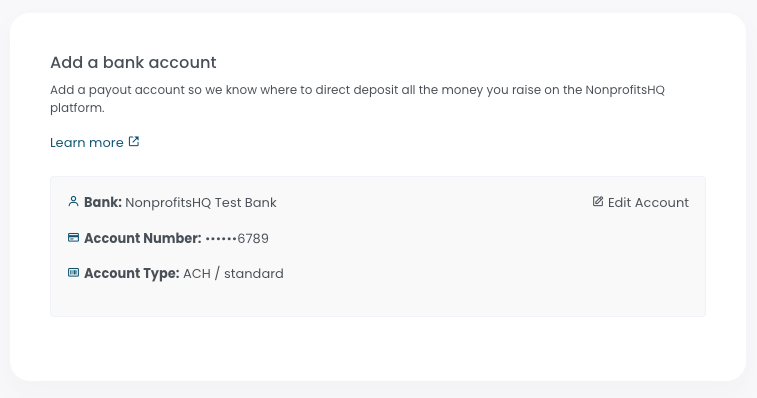
After you complete the form and add your bank account to NonprofitsHQ, we'll verify ownership and account status. This is usually instant but if there are any problems during this verification, we'll reach out to help you resolve them.
You're done!
Congratulations! You've successfully configured your NonprofitsHQ account for automatic payouts, and can begin raising money through fundraisers, events, raffles, auctions and more!
Generally speaking, we'll automatically direct deposit your raised funds to the account you provided next business day, after transactions clear.
If you run into any trouble or need any additional support, please reach out to your account manager if you have one, or email our support team directly via help@givekit.org
Was this article helpful?
That’s Great!
Thank you for your feedback
Sorry! We couldn't be helpful
Thank you for your feedback
Feedback sent
We appreciate your effort and will try to fix the article